
Start exploring Whols Pro in three simple steps
Create a temporary WordPress environment and explore Whols Pro’s wholesale pricing, customer registration, bulk ordering, user roles, and B2B storefront experience—without installing anything on your live website.
01
Enter your email
Use a valid email address so we can deliver your private sandbox URL and temporary login details.
02
We create your sandbox
A temporary WordPress website with Whols Pro, WooCommerce, and sample wholesale data is prepared for you.
03
Explore admin and storefront
Test pricing rules, customer registration, wholesale roles, product visibility, bulk ordering, and storefront workflows.
Temporary WordPress environment
Admin and storefront access
No installation required
No changes to your live store
Create your sandbox
Access the real Whols Pro experience in a temporary demo site.
✓ Secure access
Work email address
Wholesale pricing
Test role and quantity-based pricing.
Registration workflow
Explore customer application and approval.
Bulk ordering
Preview faster B2B product ordering.
We use your email only to create and deliver sandbox access. Promotional consent should be collected separately.
Real workflows, not static screenshots
What you can explore inside the demo
Use sample products and customers to understand how Whols supports a complete WooCommerce wholesale operation.
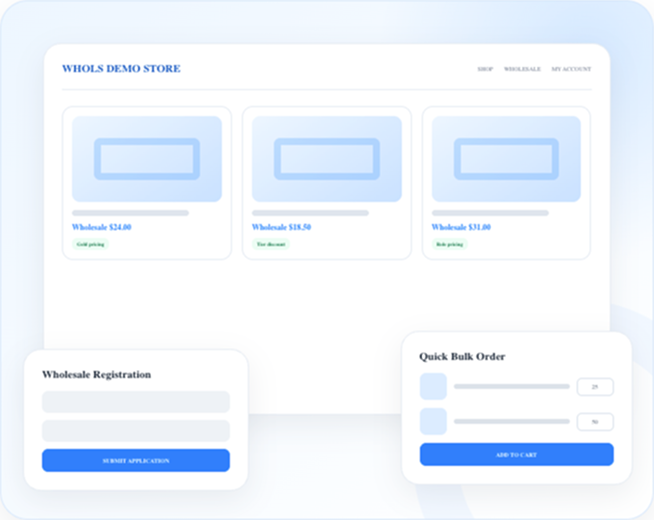
Wholesale pricing
Explore product-level and role-based pricing experiences for different customer groups.
Customer roles
See how wholesale users and customer groups receive individual prices and access rules.
Registration and approval
Preview the wholesale application process and controlled account approval workflow.
Dynamic discount rules
Test quantity, category, customer, and order-based wholesale pricing scenarios.
Bulk order experience
Explore faster product ordering for wholesale buyers managing larger quantities.
Product visibility
Control how products, prices, and content appear to different customer types.
Admin and frontend access
See the complete wholesale journey
Switch between the store manager’s setup and the wholesale customer’s shopping experience inside one temporary environment.
01
Configure the wholesale store
Explore Whols settings, roles, registration controls, and pricing rules.
02
Browse as a wholesale buyer
View customer-specific prices, products, ordering tools, and account experiences.
03
Validate your business use case
Decide whether Whols fits your store, agency, or client project.
Frequently asked questions
Before you create the sandbox
Quick answers about access, data, and the temporary demo environment.
You will receive the sandbox URL and temporary access details at the email address you submit. Delivery time may vary slightly while the temporary environment is prepared.
No. The demo is created in a separate temporary WordPress environment and does not affect your live website.
Yes. You can explore both the WordPress admin configuration and the customer-facing wholesale storefront.
The sandbox is temporary. Your access email will show its expiration details.
Sandbox access and promotional consent should be handled separately. Add an optional consent checkbox for promotional messages.